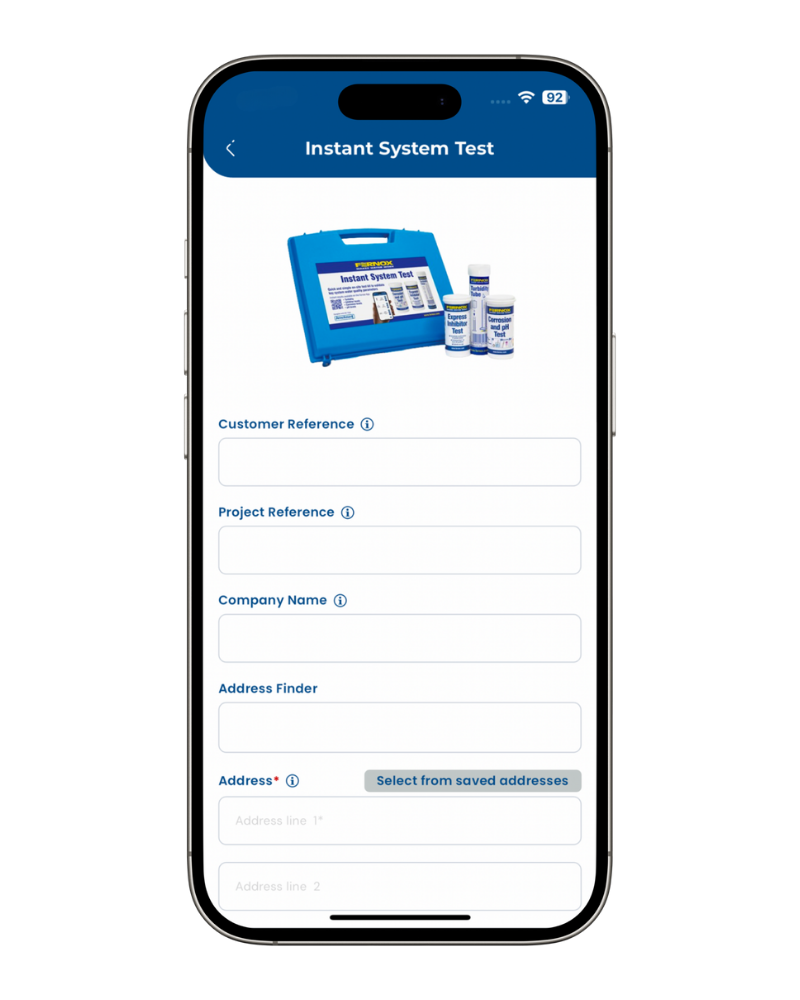
The Instant System Test is a convenient, easy-to-use method of testing the system water quality at the job site. After testing a PDF certificate will be generated automatically and sent to customers and chosen contacts.
All the submissions will be stored in your account, so you can access them whenever you want. The Instant System Test includes four test: Turbidity Test, Express Inhibitor Test, Corrosion Test, pH Test.
Adding new Instant System Test
After downloading the App and completing registration, you can start adding a ‘New Instant System Test’.
1. Open the app and from the dashboard click on the Scan Icon button
2. On the text selection pop-up, select Onsite Test
3. Then select Instant System Test
4. Customer Reference: Enter your own reference against this unique test for reporting purposes.
5. Project Reference: This field allows you to enter your own reference.
6. Company Name:
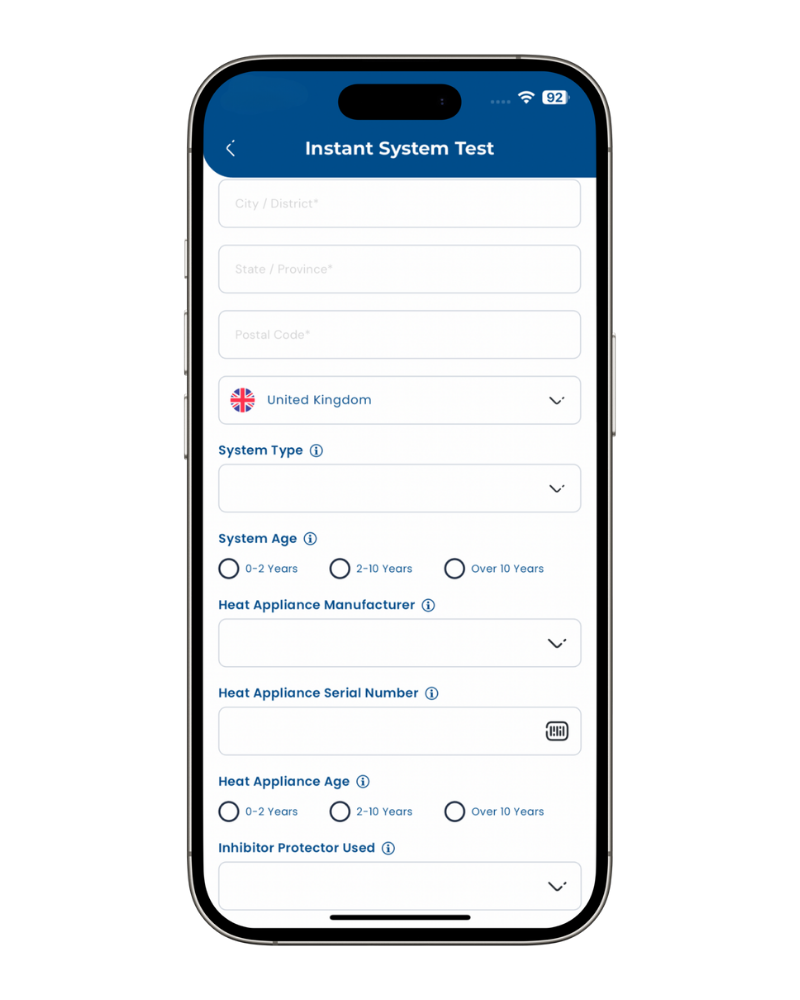
7. Address*: Select ‘address finder’, enter the property postcode, then select the address from the dropdown which will automatically populate the other address fields OR choose from Saved addresses
8. System Type: Specify the system being tested.
9. System Age: Select one of the following: 0 – 2 years, 2 – 10 years, Over 10 years.
10. Heat Appliance Manufacturer: Select a manufacturer from the dropdown, search for it in the search box, or manually enter a new one if a match is unavailable.
11. Heat Appliance Serial Number: Use your smartphone camera to scan the QR / barcode or entry it manually in case is not easy to access. TIP: This field is critical when working in relation with the boiler manufacturers directly, but also can be useful for reporting.
12. Heat Appliance Age: Select one of the following: 0 – 2 years, 2 – 10 years, Over 10 years.
13. Inhibitor Protector Used: Select the inhibitor used from the dropdown, search for it in the search box, or manually enter a new one if a match is unavailable.
Take a sample of system water which is representative of the system as a whole. Fill the tube to the 700ppm mark.
TIP: drain the water for several seconds before taking the sample.
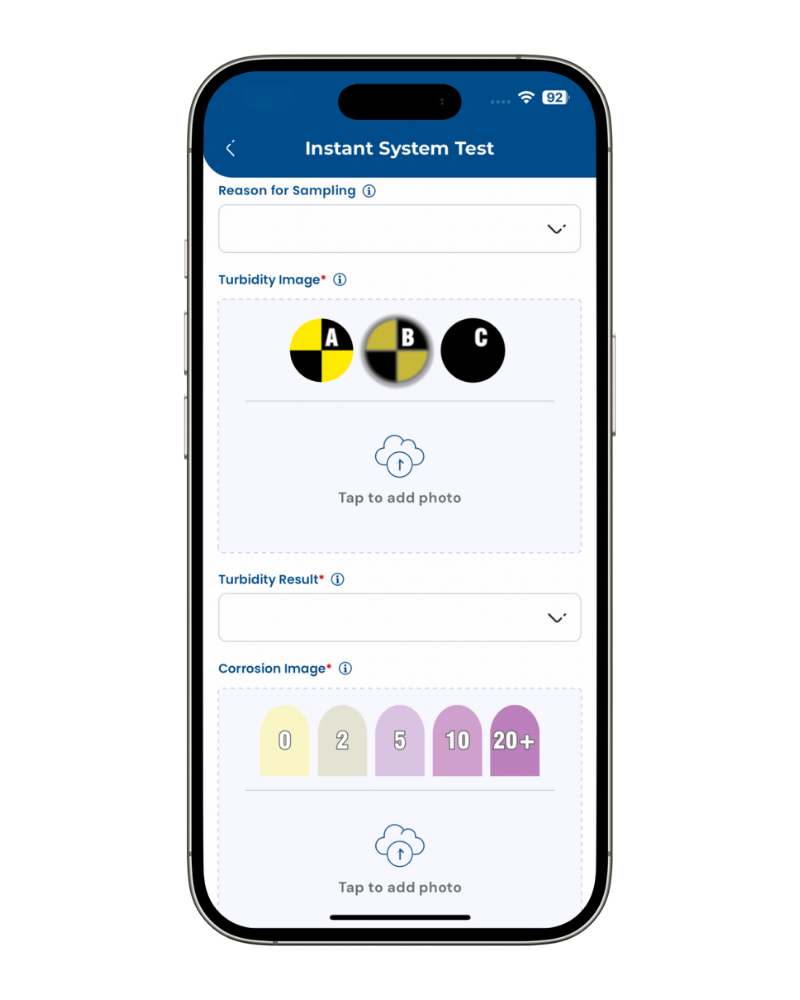
1. Reason for Sampling:
2. Turbidity Image*: Tap this field and allow you smartphone camera to take a picture of the tube. Focus on the black and yellow target at the base of the tube. Crop the picture to focus on the sample, then confirm.
3. Turbidity Result*: Look down the tube and select the corresponding level of target obstruction. Choose A, B or C from the dropdown.
Dip the test strip into the system water used before for 1 second, remove and shake the excess of water. Check the lower reagent pad on the test strip to determine the corrosion level.
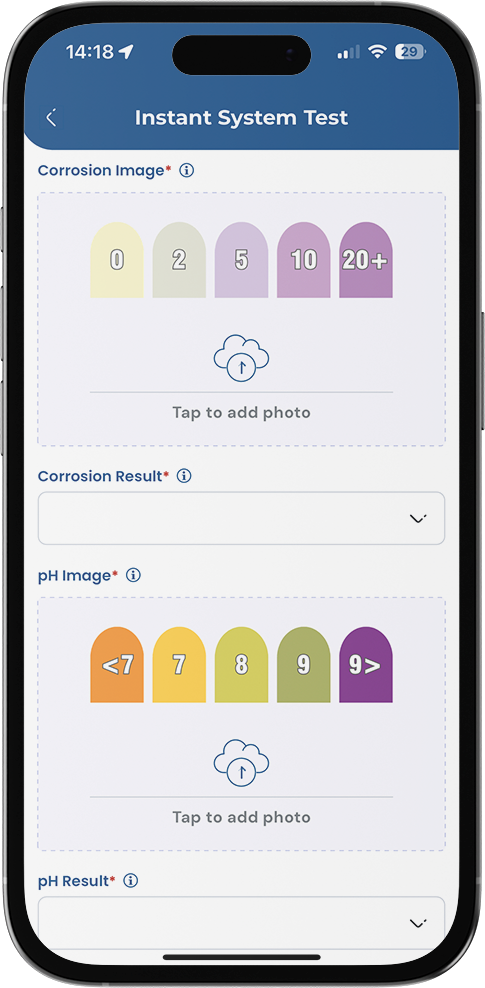
1.. Corrosion Test Image*: Tap this field and allow your smartphone camera to take a picture of the strip compared to the colour/ppm value, within 10 seconds. Align the test strip against the bottle to match the colour/ppm value. Crop the picture to focus on the sample, then confirm.
2. Corrosion Result*: Choose the value associated with the matching colour from the dropdown
Check the upper reagent pad on the test strip to determine the pH level.
3. pH Test Image*: Tap this field and allow your smartphone camera to take a picture of the strip compared to the colour/ ppm value, within 10 seconds. Align the test strip against the bottle to match the colour/ppm value. Crop the picture to focus on the sample, then confirm.
4. pH Result*: Choose the value associated with the matching colour from the dropdown.
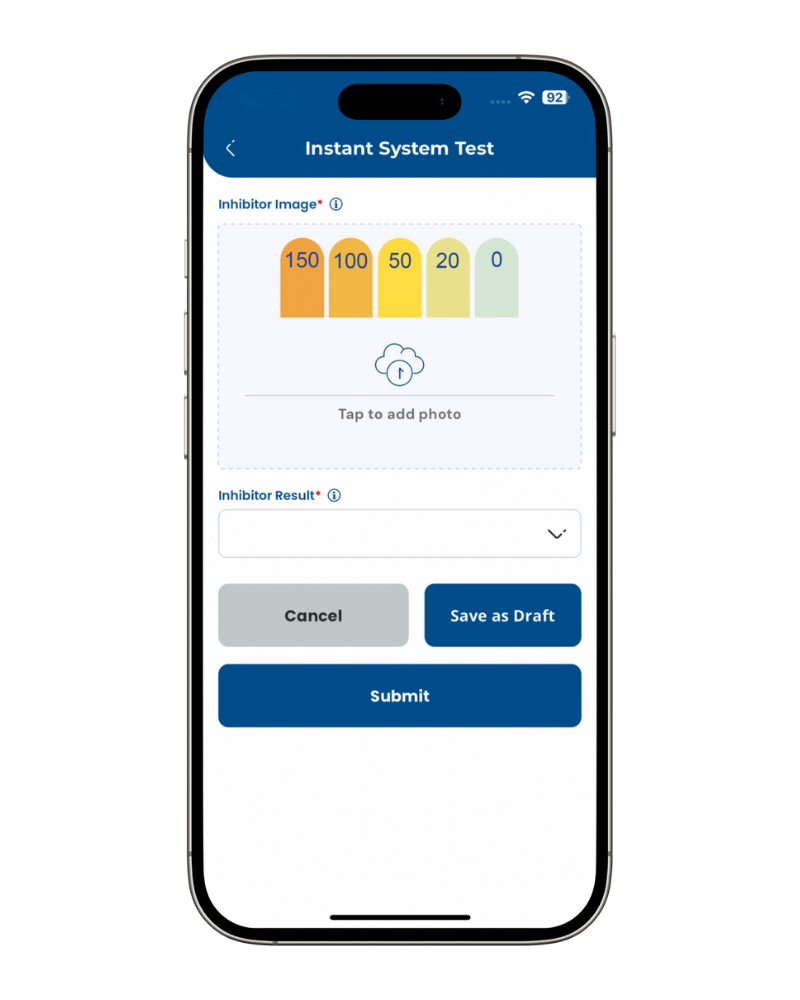
1. Express Inhibitor Test Image: Tap this field and allow your smartphone camera to take a picture of the strip compared to the colour/ ppm value, within 10 seconds. Align the test strip against the bottle to match the colour/ppm value. Crop the picture to focus on the sample, then confirm.
2. Inhibitor Result: Choose the value associated with the matching colour from the dropdown.
2. When all fields are complete, you can click on ‘Submit’ which will complete the process of adding a new sample.
IST Video Guide
In this demo we’ll walk you through Fernox Instant System Test – the quickest way to analyse system water quality right on-site using nothing more than your Fernox Test Kit, smartphone and the Fernox App. From creating a new sample and snapping photos of your test tube/strips, to submitting the data and downloading your instant pass/fail certificate, you’ll be able to complete your test in under 5 minutes.